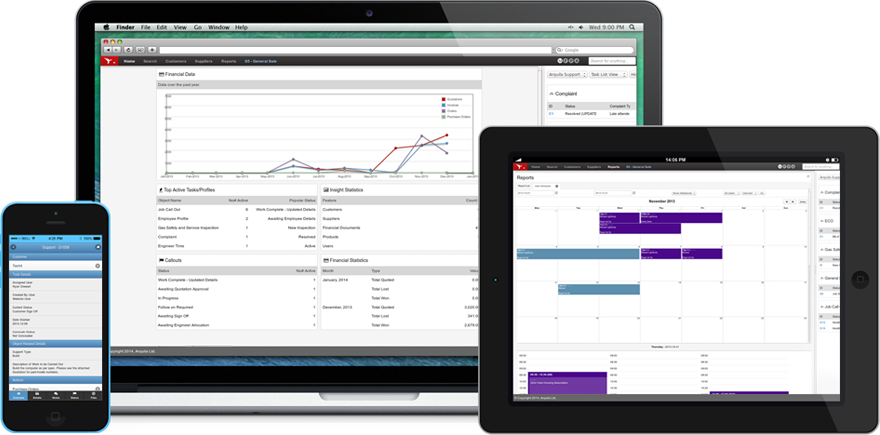
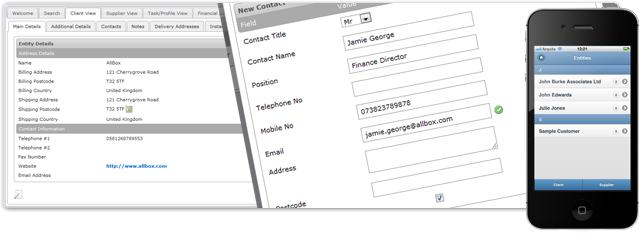
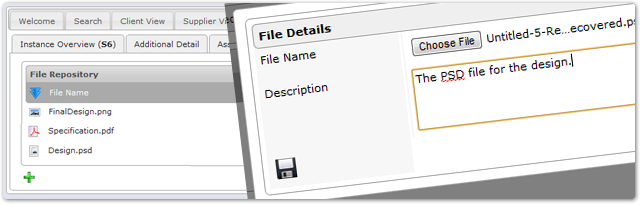
Insight helps you maintain and grow your customer database. Have all your customer transactions and related information at your fingertips. Create custom databases to profile your clients. Attach documents to your clients and customer transactions.
Highlighted Features
Infinite Customer and Contact Accounts
Running Notes and History
Manage Credit Limits
All Customer Transactions are Linked
Multiple Historic and Analysis Views
Automatic Communication
Document Repository to Link all Documents
Insight provides all the tools needed to maximize your customer relationships and maintain a healthy and accurate customer database.
Sales Leads & Quotations
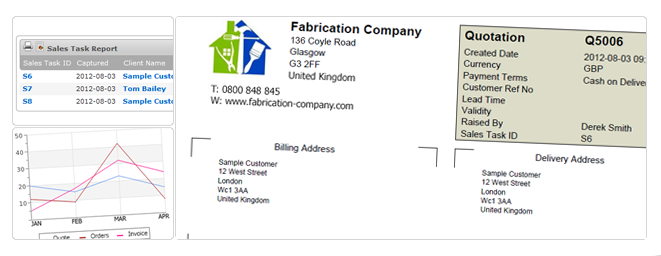
Insight is the perfect tool to maximise your new leads and existing customer sales. Profiling of your clients and having the right information available to you in real time gives you the edge over your competitors.
Highlighted Features
New Lead and Inquiry Management
Manage On Selling to Existing Customers
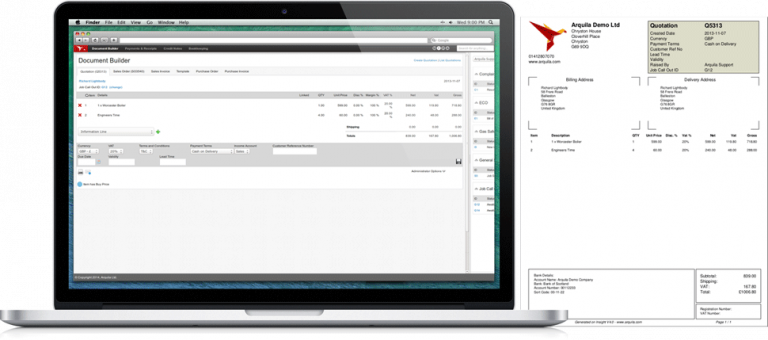
Rapid Quotation Generation and Order Processing
Status Tracking of The Lead Pipeline
Sales Projections
Sales Performance and Statistics Reports
Potential Customer Profiling
Sales Commission and Target Management
Gross Profit Analysis
Sell and Buy in Multiple Currencies
Insight puts your business into control. Manage your sales pro-actively with the right information available to make informed and fast decisions.
Scheduling and Calendars
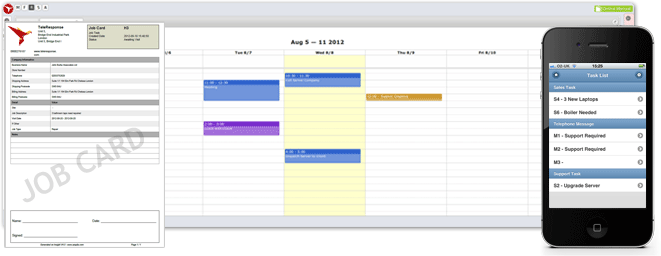
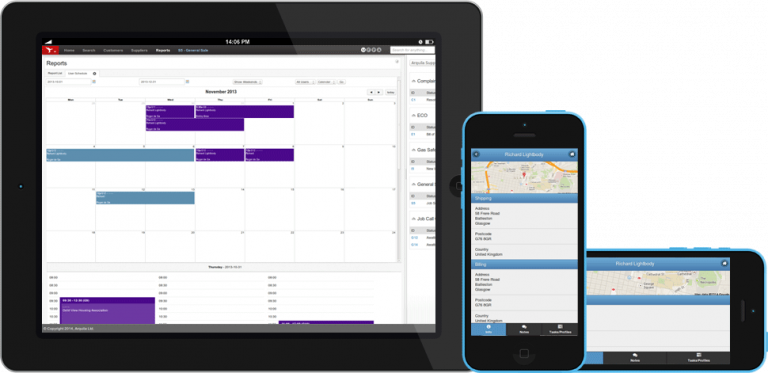
Insight is a powerful scheduling system. All your company activities including all job information, staff leave, staff activities are available in various calendar and schedule views
Highlighted Features
Company Calendars – grouped by process
Individual Calendars
Task Calendar – automatically populated by tasks
Engineer/Employee schedule for job co-ordination
Staff Leave and Public Holidays
Google Calendar Integration
Accessible on mobile devices
Centralising your calendars keeps your team in sync and keeps everyone aware of your business schedules.
Job and Task Management
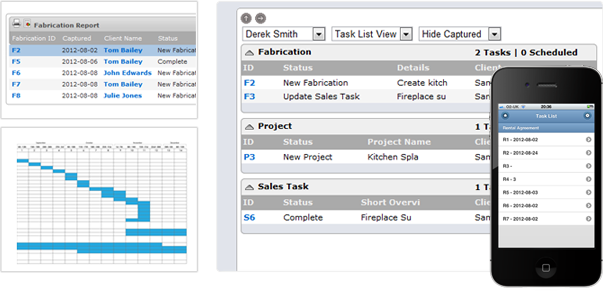
Insight Business Management Software is built around task management. Capture all your business transactions into tasks and everyone knows exactly what is expected at all times. Use statuses and task assignments to control delegation.
Highlighted Features
Task Lists and Delegation
Status Tracking and Escalations
Running Reports
Job Cards on Display or PDF
Full Task Activity History
Due Dates and Time Stamping
Manage Subcontractors and Their Assigned Jobs
Automatic tracking of time and billing
Having all your business activity logged in tasks allows for effective management and reporting of your business activities.
Order Processing and Fulfilment
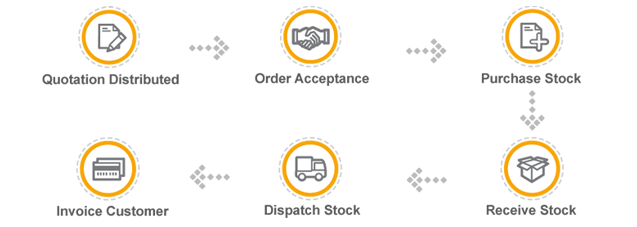
With Insight managing your order processing, you improve the efficiency of your order fulfilment by not re-capturing data, minimising human error and keeping on top of purchases and outstanding orders.
Highlighted Features
Stock System Fully Integrated
Automatic Transfer of Information Between Order Stages
Orders Due Reports
Dispatch Notes
Order Status and Tracking
Linked to Sales Transaction
Linked to Supplier Purchases
Part Dispatch
Content and Packing Slips
Automatically Import Quotations and Previous Orders
Tie the Insight order management directly into your business work flows. By integrating order processing into your sales cycle process you ensure that maximum efficiency is reached.
Stock and Inventory
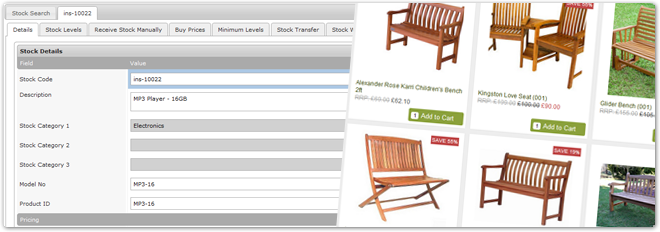
Insight gives you total management of your stock and inventory. Know your inventory position at all times and accurately report on your stock requirements and stock.
Highlighted Features
Multiple Warehouses
Comprehensive Stock History
Stock Transfers
Minimum Stock Levels
Barcode Scanning
Stock Take Management
Stock Valuation Reports
Back Order Purchases
Stock List Imports from CSV
Dynamically Generated Stock Lists
Direct API Integration into Your Suppliers
Multiply Supplier Buy Price Profiling
We take pride in our stock management capabilities. Our many years of experience has helped us refine our stock management features.
Finance Management
Insight’s powerful invoicing system keeps things simple. You have the flexibility to create invoices quickly whilst maintaining total control and a full audit trail.
Highlighted Features
Insight’s powerful invoicing system keeps things simple. You have the flexibility to create invoices quickly whilst maintaining total control and a full audit trail.
Invoice Management Features
Rapidly Generate Invoices
Import Directly from Sales Orders or Quotations
Automatic Repeat Invoicing for Monthly, Quarterly and Annual Billing
Linked to Sales and Customer Profiles for Historical Analysis
Multi Currency Invoicing
Exportable to Excel
Comprehensive set of Invoicing Reports
Insight’s powerful invoicing features will ensure that billing is a seamless part of your business operation. Focus your energies on your core business and leave Insight to deal with your billing.
Payments and Credits
Payment and Credit management is a critical part of your business administration system. With Insight you have total control of your payment processing, outstanding payments, outstanding receipts and credit processing.
Payment and Credit Features
Payments and Receipt Processing
Part Payment, Receipts and Deposits
Direct Debits
Paypal and Credit Card Merchant Integration
Age Analysis Reports
Credit Limits and Account Suspensions
Pending Accounts for Sales Processing
Comprehensive Statements
Maintain a full audit trail of all your payments and credits with Insight. Real time statements ensure you always have total clarity of your cash flow position.
Document Management
Effective document management is vital to managing any business. Having information at your fingertips ensures you stay ahead of your competition. Insight document management links documents directly to your customers, suppliers and transactions.
Highlighted Features
Powerful Searching
Centralised Storage
Link Files to Financial Transactions
Link Files to Tasks
Link Files to Profiles
User Level Access Rights
Backed Up and Protected
Files at Your Fingertips
Centralising your documents and files on an Insight system ensures that you secure your intellectual property and have it available when needed.
Mobile and Remote Access
Insight Business Management System easily adapts to everyday situations, meaning you don’t have to be in front of your computer to get all the information you need. The Insight mobile client comes with every installation allowing you access to your information when you’re out and about.
Highlighted Features
Task Lists and Job Management
Customer and Supplier Information
Electronic Documents, Certificates and Job Cards
Scheduling and Planning of Tasks
Purchase Orders, Billing and Payments
Real-time access to Business Information
Subcontractor Access Levels
With the Insight mobile client you are not tied down to a specific platform. The Insight mobile client is a user friendly and highly efficient way to have your field engineers and remote staff gain real-time access to your system.
Complete Solution
Insight Business Management Software is an all in one, multi-user business software system that will manage all administrative aspects of your organization. With Insight business software controlling your administrative processes you will be free to focus your energy on your core business and revenue generating activities.
Fully Customisable
The biggest advantage Insight Business Management Software has over other products is that you can fully customise the Insight system around your business. Build all your business processes, design all the fields, statuses and just about entire system. We have successfully deployed very granular systems to multiple industries and business verticals.
Work Flow
Insight business software is extremely flexible and can be configured to manage any type of business process or functional work-flow. Task and job management is at the core of the system.
Your Business
Insight has been specifically designed to allow entrepreneurial talent to thrive. Insight Business Management Software eliminates the need to focus energy on labour intensive, non-revenue producing functions such as managing spreadsheets and package application, capturing data, manually moving data between departments and manually managing operational processes. If you feel constricted and overrun by such operational tasks, Insight is perfect for you.
Bespoke Development
One of Binary Technologies core values is to be “focused on flexibility”. With this in mind, we are pleased to offer a range of bespoke options, to give you access to Insight. We have a highly experienced and motivated development team, ready to assist you in tailoring the perfect system for you using the Insight Framework. Contact us to discuss you requirements and we will gladly discuss this with you and explain the options available to you.
Insight Reach
Insight Reach is our team that focuses on the development of online business applications, mobile applications, social media campaigns and applications, website to back office software integration and website intelligence solutions. If you can dream it, our reach team can deliver it!
Business Management Software provided by Binary Technologies. Find out more by visiting our website at www.binarytechnologies.co.uk
We use cookies on our website to give you the most relevant experience by remembering your preferences and repeat visits. By clicking “Accept All”, you consent to the use of ALL the cookies. However, you may visit "Cookie Settings" to provide a controlled consent.
This website uses cookies to improve your experience while you navigate through the website. Out of these, the cookies that are categorized as necessary are stored on your browser as they are essential for the working of basic functionalities of the website. We also use third-party cookies that help us analyze and understand how you use this website. These cookies will be stored in your browser only with your consent. You also have the option to opt-out of these cookies. But opting out of some of these cookies may affect your browsing experience.
Necessary cookies are absolutely essential for the website to function properly. These cookies ensure basic functionalities and security features of the website, anonymously.
Cookie
Duration
Description
cookielawinfo-checkbox-analytics
11 months
This cookie is set by GDPR Cookie Consent plugin. The cookie is used to store the user consent for the cookies in the category "Analytics".
cookielawinfo-checkbox-functional
11 months
The cookie is set by GDPR cookie consent to record the user consent for the cookies in the category "Functional".
cookielawinfo-checkbox-necessary
11 months
This cookie is set by GDPR Cookie Consent plugin. The cookies is used to store the user consent for the cookies in the category "Necessary".
cookielawinfo-checkbox-others
11 months
This cookie is set by GDPR Cookie Consent plugin. The cookie is used to store the user consent for the cookies in the category "Other.
cookielawinfo-checkbox-performance
11 months
This cookie is set by GDPR Cookie Consent plugin. The cookie is used to store the user consent for the cookies in the category "Performance".
viewed_cookie_policy
11 months
The cookie is set by the GDPR Cookie Consent plugin and is used to store whether or not user has consented to the use of cookies. It does not store any personal data.
Functional cookies help to perform certain functionalities like sharing the content of the website on social media platforms, collect feedbacks, and other third-party features.
Performance cookies are used to understand and analyze the key performance indexes of the website which helps in delivering a better user experience for the visitors.
Analytical cookies are used to understand how visitors interact with the website. These cookies help provide information on metrics the number of visitors, bounce rate, traffic source, etc.
Advertisement cookies are used to provide visitors with relevant ads and marketing campaigns. These cookies track visitors across websites and collect information to provide customized ads.